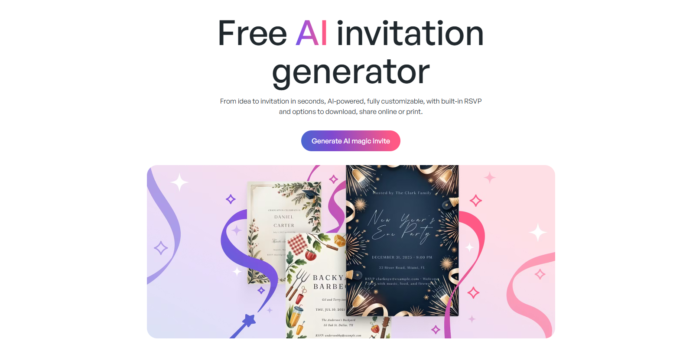
Ai invitation generator
Planning an event is exciting—but let’s be honest, designing invitations can be stressful, time-consuming, and sometimes expensive.
That’s where AI invitation makers come in.
In 2026, tools like Greetings Island are changing the game by turning simple ideas into beautiful, ready-to-send invitations in seconds—no design experience required.
If you’ve ever thought, “I wish this was easier,” this guide will show you exactly how AI invitation makers work—and why they’re becoming the go-to solution for modern events.
🎉 What Is an AI Invitation Maker?
An AI invitation maker is a tool that uses artificial intelligence to design invitations based on your input.
Instead of starting from scratch, you simply describe your event like this:
👉 “Birthday party, outdoor theme, pastel colors, evening event”
And the AI instantly generates:
- A complete invitation design
- Matching fonts and color schemes
- Layouts tailored to your event type
💡 It’s like having a professional designer—without the cost or wait.
Design invitation card with ai
🚀 Why AI Invitation Makers Are So Popular in 2026
Here’s why more people are switching:
- Saves time – Create invites in minutes
- No design skills needed – Anyone can use it
- Fully customizable – Edit everything easily
- Digital + print options – Share online or order physical copies
👉 The biggest benefit? You focus on the event—not the design stress.
🔥 Featured Tool: Greetings Island AI Invitation Generator/Maker
Greetings Island – Smart, Simple & Creative
Greetings Island is one of the easiest platforms for creating AI-powered invitations and greeting cards.
✨ Key Features
- AI-generated invitation designs from simple prompts
- Easy editing (text, fonts, colors, layout)
- RSVP integration for event tracking
- Option to download or print professionally
💬 Real User Experience
Using it feels surprisingly natural.
You start by typing your event details:
- Date
- Time
- Location
- Theme or style
Within seconds, you get a polished design that already looks event-ready.
💬 What stands out most?
The designs don’t feel generic—they feel tailored, like someone actually understood your idea.
🛠️ How to Create an Invitation (Step-by-Step)
Here’s how simple it is:
1. Describe Your Event
Type something like:
👉 “Wedding invitation, elegant gold theme, evening ceremony”
2. Let AI Generate Designs
Instantly get multiple invitation options.
3. Customize Your Design
- Change fonts
- Adjust colors
- Add personal messages
- Include images or icons
4. Share or Print
- Send digitally (WhatsApp, email, social media)
- Add RSVP
- Order printed copies
🎯 Best Use Cases
AI invitation makers work for almost any event:
- 🎂 Birthdays
- 💍 Weddings
- 👶 Baby showers
- 🎓 Graduations
- 🏢 Corporate events
- 🎉 Parties and celebrations
👉 Whether casual or formal, the AI adapts to your style.
⚠️ Things to Keep in Mind
While AI tools are powerful, here are a few honest insights:
- You may need to tweak designs for a perfect fit
- Very unique or niche themes might need extra editing
- Internet access is required
👉 Still, compared to traditional design methods—it’s way faster and easier.
🧠 Why This Matters (Big Picture)
We’re entering a world where creativity is no longer limited by skill.
Just like AI builds websites and writes content, it’s now:
- Designing invitations
- Creating visual assets
- Automating creative workflows
👉 The barrier to creating beautiful things is disappearing.
🚀 Final Thoughts
If you’re planning an event in 2026, there’s no reason to struggle with design.
With tools like Greetings Island (Ai invitation generator), you can:
- Go from idea → invitation in minutes
- Create professional designs effortlessly
- Focus on what really matters—your event
👉 The question is: Why spend hours designing… when AI can do it in seconds?
💬 Would you try an AI invitation maker for your next event?

