If you’ve ever tried generating AI art, you’ve probably experienced this:
You finally get a good image…
But you have no idea how you got there.
You can’t recreate it.
You can’t tweak it properly.
And half the time, you’re just guessing.
That lack of control—and transparency—is what pushed me to explore OpenArt AI.
Because unlike most tools, OpenArt doesn’t just generate images…
It shows you how they were made.
And that changes everything.
💡 Why OpenArt AI Matters in 2026
By 2026, AI image generation isn’t new anymore—it’s crowded.
There are dozens of tools promising:
- Better quality
- Faster results
- More “creative freedom”
But here’s what most people don’t realize:
The real bottleneck isn’t generation.
It’s iteration and control.
That’s where OpenArt AI stands out.
It’s not just about creating images—it’s about:
- Understanding prompts
- Learning from others
- Reusing and improving workflows
In a way, it feels less like a tool…
And more like a creative ecosystem.
🧠 What OpenArt AI Actually Is
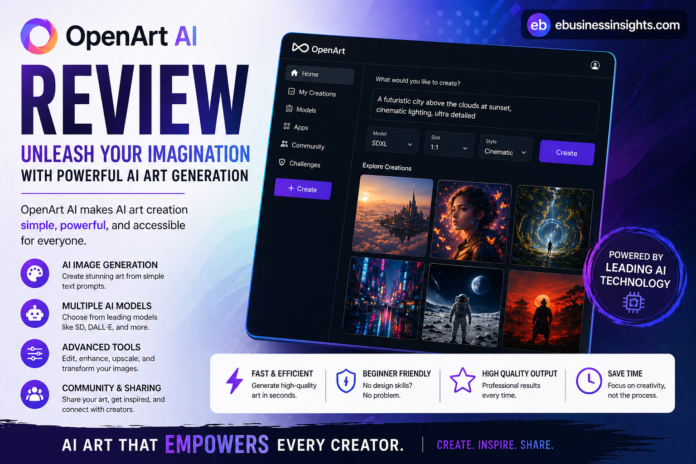
At its core, OpenArt AI is an AI image generation platform built on top of models like Stable Diffusion—but with a strong focus on community and prompt sharing.
But that description doesn’t fully capture it.
What makes OpenArt different is this:
It’s designed to help you learn how to create better images, not just generate them.
You’re not working in isolation.
You’re seeing:
- Other people’s prompts
- Their settings
- Their results
And that’s incredibly valuable.
⚙️ How OpenArt AI Works (Without Overcomplicating It)
Here’s the simple version.
You:
- Enter a prompt
- Choose a model or style
- Generate images
But here’s the twist:
You can also:
- Browse a massive library of images
- Click on any image
- See the exact prompt and settings used
That means you’re not guessing anymore.
You’re learning by example.
From my perspective, that’s one of the most underrated features in any AI tool right now.
🔥 Key Features (With Real Insight)
1. Prompt Transparency (This Is Huge)
Most tools treat prompts like a black box.
OpenArt doesn’t.
You can literally reverse-engineer:
- Styles
- Lighting
- Composition
What surprised me was how quickly this improves your understanding.
You start noticing patterns.
And suddenly, your own prompts get better.
2. Community-Driven Creativity
This isn’t just a gallery—it’s a learning environment.
You see:
- Trends
- Techniques
- Creative approaches
It’s like scrolling through a feed—but actually gaining skills.
3. Multiple Models and Styles
OpenArt supports various models, including those based on Stable Diffusion.
That gives you:
- Flexibility
- Variety
But here’s the catch:
More options = more complexity.
So it’s powerful—but not always beginner-friendly.
4. Editing and Fine-Tuning Tools
You can:
- Inpaint
- Adjust details
- Refine outputs
This is where OpenArt starts to feel more like a creative suite than just a generator.
🧩 Real-World Use Cases (Where It Actually Shines)
1. Aspiring AI Artists
If you’re learning AI art, OpenArt is one of the best environments.
You’re not just creating—you’re studying.
2. Content Creators
Bloggers, YouTubers, social media creators can:
- Find inspiration
- Generate visuals
- Improve consistency
3. Designers Exploring AI
Not replacing tools like Photoshop—but enhancing ideation.
You can:
- Prototype concepts
- Explore styles quickly
4. Curious Beginners (With Patience)
If you’re willing to explore, this platform teaches you faster than most.
But if you want instant results?
It might feel overwhelming.
ebusinessinsights.com
⚖️ Pros and Cons (No Sugarcoating)
✅ Pros
- Transparent prompts (huge learning advantage)
- Strong community-driven insights
- Flexible model options
- Great for improving skills over time
❌ Cons
- Can feel overwhelming at first
- Not as “plug-and-play” as simpler tools
- Quality varies depending on prompts
- Requires some experimentation
Here’s the honest truth:
OpenArt rewards effort.
If you put in time, it gives you more back.
🔍 Comparison: OpenArt AI vs Other Tools
Let’s get practical.
OpenArt AI vs Midjourney
Midjourney is known for:
- High-quality outputs
- Strong artistic style
- Simplicity (once you learn prompts)
Key Differences:
- Midjourney:
- Better default quality
- Less transparency
- More “black box”
- OpenArt AI:
- More control and learning
- Community-driven
- Less consistent out-of-the-box
My take:
Midjourney is better for:
- Quick, polished results
OpenArt is better for:
- Learning and experimentation
OpenArt AI vs DALL·E
DALL·E focuses on:
- Ease of use
- Clean outputs
- Strong prompt understanding
Key Differences:
- DALL·E:
- Beginner-friendly
- Less customizable
- OpenArt:
- More flexible
- More complex
- Better for advanced users
My take:
DALL·E is great for simplicity.
OpenArt is better for depth.
🎯 Who Should Use OpenArt AI (And Who Shouldn’t)
👍 Best For:
- People who want to learn AI art
- Creators who enjoy experimenting
- Users who value control and transparency
👎 Not Ideal For:
- Beginners who want instant results
- Users who don’t want to learn prompts
- People needing consistent, production-ready outputs fast
If I’m being real…
This isn’t the easiest tool.
But it might be the most educational one.
⚠️ Limitations & Non-Obvious Truths
1. It Can Be Overwhelming
Too many options can slow you down.
Especially early on.
2. Quality Depends on You
Unlike tools that “carry” you, OpenArt reflects your skill level.
Good prompts = good results
Weak prompts = average outputs
3. Community Content Isn’t Always High Quality
You’ll see amazing work…
And also a lot of noise.
Learning to filter is part of the process.
4. It’s Easy to Get Lost
You might spend more time:
- Browsing
- Exploring
Than actually creating.
Not necessarily bad—but worth noting.
🛠️ Practical Tips to Get Better Results
1. Study Before You Create
Spend time:
- Looking at top images
- Analyzing prompts
This shortcut saves hours of trial and error.
2. Start With Existing Prompts
Don’t begin from scratch.
Modify proven prompts instead.
3. Focus on One Style First
Avoid jumping between styles.
Master one, then expand.
4. Iterate Intentionally
Instead of random tweaks:
- Change one variable at a time
This builds understanding.
🎯 Final Verdict: Is OpenArt AI Worth It?
Here’s my honest take:
OpenArt AI isn’t the easiest tool.
It’s not the fastest either.
But it might be one of the most valuable.
Because it teaches you something most tools don’t:
How to actually use AI creatively.
If you just want results—there are simpler options.
But if you want:
- Control
- Skill development
- Creative growth
OpenArt is worth your time.
💰 Pricing & Free Version: What You Actually Get
This is the part most people care about—but many reviews gloss over it.
So here’s the honest breakdown.
🆓 Free Version (What You Can Do Without Paying)
OpenArt AI does offer a free tier, and from my perspective, it’s actually usable—not just a teaser.
With the free version, you typically get:
- A limited number of image generations per day
- Access to basic models
- Ability to browse community prompts and images
- Standard resolution outputs
What surprised me was that you can still learn a lot without spending anything.
If your goal is:
- Experimenting
- Understanding prompts
- Exploring styles
The free plan is enough to get started.
But there’s a catch…
⚠️ The Real Limitation of the Free Plan
It’s not just about limits—it’s about speed and flexibility.
From my experience:
- Generations can be slower
- Advanced models may be locked
- You’ll hit daily caps faster than expected
So while it’s functional, it’s not ideal for heavy use.
💳 Paid Plans (Where Things Open Up)
Once you move to a paid plan, you typically get:
- More generation credits
- Faster processing
- Access to more advanced models
- Higher-quality outputs
- Better consistency for serious projects
Here’s the honest truth:
You don’t need to pay to try OpenArt…
But you’ll probably want to if you start using it regularly.
🧩 The Non-Obvious Insight
This is something most reviews don’t mention:
OpenArt’s real value isn’t locked behind pricing—it’s in the community and prompt visibility.
So even on the free plan, you’re gaining:
- Knowledge
- Techniques
- Creative direction
Which makes it one of the few AI tools where the free version still feels meaningful.
💡 Should You Start Free or Paid?
If I’m being real:
Start free.
Use it to:
- Understand how prompts work
- Explore different styles
- See if the workflow fits you
Then upgrade only if:
- You’re generating images daily
- You need speed and consistency
- You’re using it for real projects
❓ Final Thought
If AI can generate anything…
Do you want instant results—or the ability to create exactly what you imagine?

